
AI-built storefronts for print shops
TallyHelper builds your merch storefront for you.
Tell TallyHelper what you want changed. It drafts the storefront, product layout, copy, and print-shop workflows. You review the changes, preview the store, and publish when it is right.
No theme editor required
Plain-language changes
Preview before publish
Merchant request
Make my DTF storefront feel easier to order from. Feature gang sheets first, add trust copy, and simplify product pages.
01
tell it what to change
02
review and preview
03
publish live
The Tally Merch difference
Your merchant dashboard should feel like a helper, not a theme editor.
Merchants should not need to understand blocks, sections, Liquid, templates, or responsive layout. TallyHelper handles the storefront structure internally and gives merchants a simple approval workflow.

Say what you want
Ask for a homepage, product page, collection, promotion, reorder flow, or print-shop workflow in plain language.

Review the plan
TallyHelper proposes copy, layout, products, images, links, and settings before anything changes on the live store.

Publish with confidence
Preview the result as a customer would see it, then publish approved changes to the actual storefront.
How TallyHelper works
Tell it. Review it. Preview it. Publish it.
Tally Merch still has powerful storefront sections, product data, checkout, customer uploads, and print settings behind the scenes. The merchant-facing workflow stays simple.
Tell TallyHelper what you want
Describe the outcome: better homepage, clearer DTF upload flow, new product pages, seasonal campaign, or reorder path.
Review proposed changes
See the exact pages, products, links, copy, and settings TallyHelper plans to update.
Preview the storefront
Open a customer-facing preview before anything is published, including product pages and checkout expectations.
Approve and publish
Push the approved storefront changes live while the internal section and product system stays managed for you.
Print-shop intelligence
TallyHelper understands the workflows your customers need.
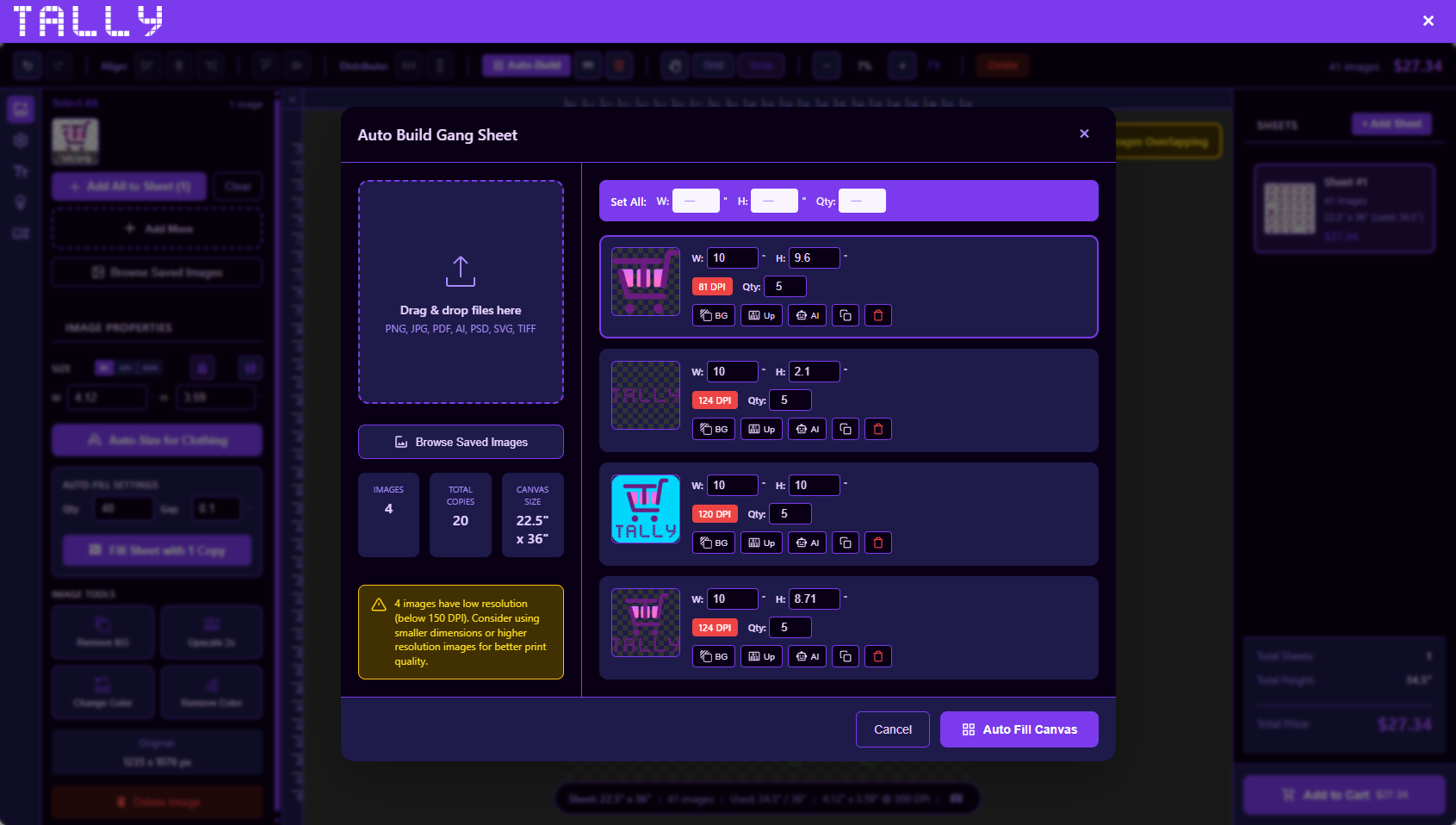
Auto-build gang sheets
Customers can arrange artwork faster while your shop receives cleaner production files.

AI art tools
Offer image generation and creative helpers inside the buying workflow.
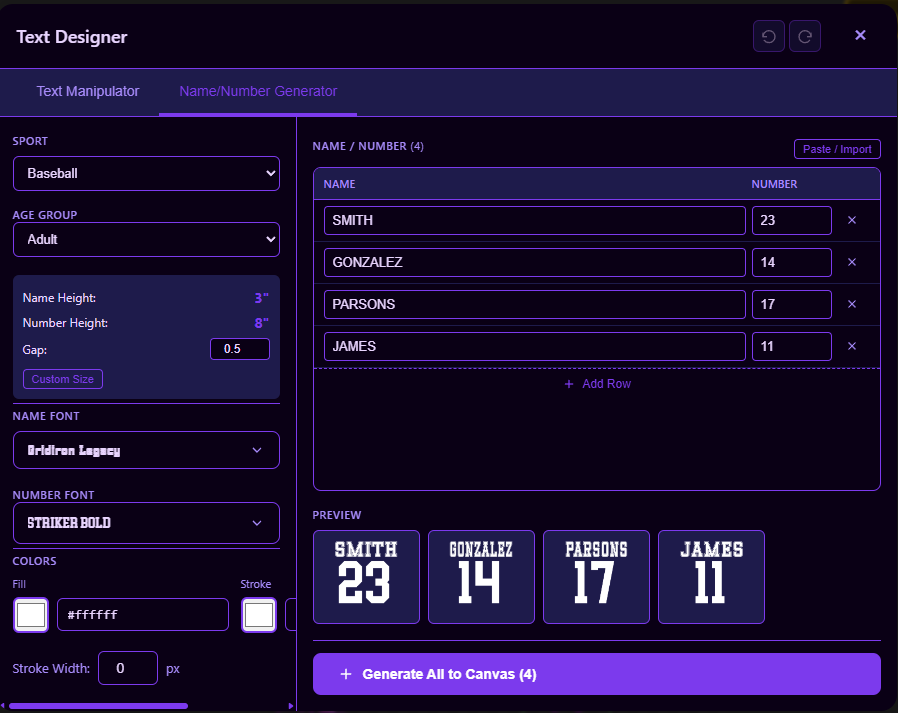
Names and numbers
Support teams, events, uniforms, and personalized orders without a messy email chain.
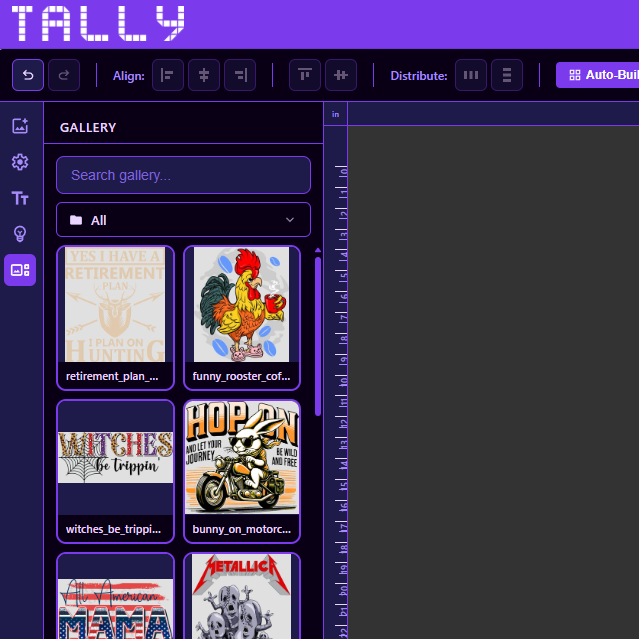
Saved customer gallery
Make reorders easier by keeping customer artwork and files available for future purchases.
Simple starting point
Start with an AI-built storefront, then keep improving it by asking.
The base plan includes the hosted storefront, merchant dashboard, Stripe-ready checkout, print-native products, and the TallyHelper setup path that turns your shop brief into a storefront you can approve.
Base plan
$29.99/mo
30-day free trial, hosted storefront, dashboard setup, product brief, and Stripe-ready payment flow.
Start setupStart building
Launch setup in the guided wizard.
Create the merchant account, verify email, build the store, provision the store container, and continue to Stripe from a focused setup flow.
Open setup wizard